
TLDR
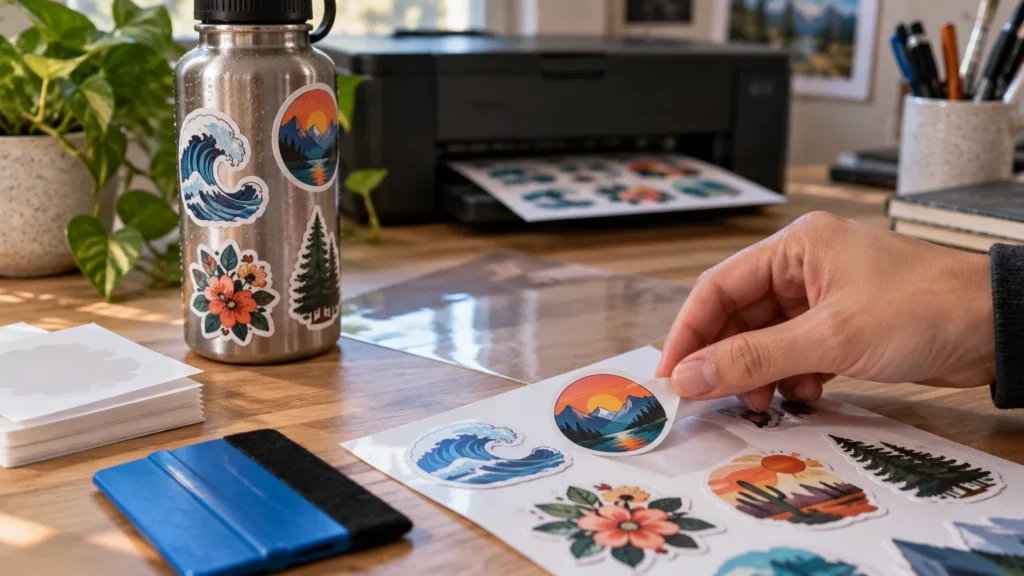
The best sticker printer for waterproof stickers is usually a pigment-ink printer that can reliably feed compatible printable film, but the printer is only one part of the answer. The finished sticker also depends on the film or label stock, adhesive, ink compatibility and, for abrasion or outdoor exposure, a suitable laminate. A laser printer is another strong option when the label stock explicitly supports laser printing. For narrow organization or product labels, a dedicated ZINK label printer is convenient. For water bottles, vehicles, outdoor gear or products that will be washed repeatedly, professionally printed and laminated vinyl is usually the safer choice.
“Waterproof” is easy to misread as a printer feature. It is better understood as a property of the complete sticker construction. A good printer cannot make absorbent paper waterproof, and waterproof film cannot protect incompatible ink from rubbing or running. Start by defining the exposure, then choose a matched printer-and-media system.
The best sticker printer for waterproof stickers depends on the job
| Sticker job | Best starting category | What matters most |
|---|---|---|
| Full-color sticker sheets | Pigment-ink inkjet with a suitable specialty-media feed | Confirmed printable-film compatibility, feed path and print quality |
| Durable film labels | Laser printer or pigment inkjet | Label stock approved for that exact print technology |
| Narrow organization or product labels | Dedicated ZINK label printer | Available roll widths, adhesive and resistance rating |
| Photo-heavy indoor stickers | Photo inkjet with compatible media | Color quality and a protective overlay if moisture is expected |
| Water bottles, outdoor gear or vehicles | Professional custom sticker printing | Laminated construction, adhesive selection and controlled finishing |
For a home or small-studio setup, a pigment-ink inkjet is the most versatile starting point for full-color sheets. It can handle illustrations, branding and small batches without requiring a dedicated label roll. Do not buy from the printer specification alone, however. Confirm that your chosen printable film supports pigment ink and that the printer accepts the material’s size, coating and thickness.
Avery, for example, says its durable white film labels are available for laser and pigment-based inkjet printers. It also ties the stated water resistance of one printable film product to printing with a laser or pigment-inkjet printer. That makes the media manufacturer’s compatibility statement more useful than a generic “works with inkjet” claim. Review Avery’s waterproof film-label guidance for an example of how a manufacturer defines the supported print methods.
Why the printer alone cannot make a sticker waterproof
A moisture-resistant sticker is a system with four main parts: the printed face material, the ink or toner, the adhesive and any protective laminate. A weakness in one layer can undermine the entire result.
- Face material: Printable film or vinyl resists water better than uncoated paper, which can absorb moisture through its face or exposed edges.
- Ink or toner: The print technology must match the coating on the film. An incompatible combination can smear, bead up or fail to bond properly.
- Adhesive: Water resistance on the printed face does not tell you how well the adhesive will hold to a wet, curved, cold or textured surface.
- Laminate: A clear overlay protects the image from rubbing, scratching and direct contact. It also creates another edge that must be applied cleanly.
- Application: Oil, condensation, texture and tight curves can cause lifting even when the printed material itself handles water well.
The exposure level changes what you should order. A pantry label that encounters a damp cloth has an easier job than a bottle sticker that is gripped, washed and rubbed around its edges. A kayak or vehicle graphic adds sunlight, weather, flexing and abrasion. Our guides to choosing water-bottle stickers and vinyl stickers for kayaks cover those surface-specific decisions in more detail.
Best category for full-color sheets: pigment-ink inkjet
A pigment-ink inkjet with a specialty-media or rear feed is the most practical general category for printable sticker sheets. The straightest available feed path can reduce curling and feeding trouble with thicker coated media, while pigment-compatible film gives you a documented path to moisture resistance.
The Epson EcoTank Pro ET-5850 illustrates the specification pattern to look for. Epson lists a four-color, all-pigment DURABrite ink system, a rear specialty-paper feed and borderless printing at sizes up to 8.5 by 14 inches. Those features make it a relevant candidate for full-sheet projects, but they do not establish universal compatibility with every printable vinyl or film. Check both the printer documentation and the media package before buying either one.
Borderless capability is useful when printing color to the edge of a sheet, but most cutting-machine workflows still require registration marks and a margin. If you use a Cricut, Silhouette or another optical cutting system, design around the cutter’s current printable-area requirements rather than the printer’s maximum borderless size.
What to check before buying a pigment printer
- All-color pigment ink, not merely pigment black with dye-based color inks.
- A rear or specialty-media feed that accepts the dimensions required by the film manufacturer.
- Support for the sheet size used by your cutter and sticker layout.
- A manual print-quality setting suitable for coated media.
- Enough drying space and time before cutting or applying laminate.
- Replacement-ink cost and maintenance needs at your expected monthly volume.
When a laser printer is the better fit
A color laser printer can be a practical choice for durable film labels when the stock explicitly says it is laser compatible. Toner sits differently from liquid ink, so the coating and the heat used during printing must be designed for the process. Never put inkjet-only vinyl through a laser printer merely because the sheet fits; an unsupported coating can feed poorly or react badly to the fuser’s heat.
Laser printing makes particular sense for text-heavy labels, barcodes, simple graphics and office environments that already maintain a color laser device. It is not automatically the better choice for subtle gradients or photo-style artwork. Request or buy a small quantity of the intended film and test print quality, toner adhesion, cutting and application before committing to a production batch.
Where dye-based photo printers fit
Dye-based photo printers can produce attractive color, but you should not assume that a beautiful photo print will satisfy a wet-use label specification. Canon, for example, identifies the PIXMA G620 as a six-color dye-ink printer. That specification makes it a photo-oriented option, but it does not match a film product that specifically requires pigment inkjet or laser printing for its stated water resistance.
If you already own a dye printer, look for film whose manufacturer expressly supports that printer technology. Otherwise, reserve the setup for dry indoor stickers or add an appropriate protective overlay after confirming that the ink has dried and the laminate bonds cleanly. Avoid treating laminate as a cure for visibly poor ink adhesion; the print still needs to bond to its underlying coating.
Best option for narrow labels: a dedicated ZINK printer
A compact ZINK label printer is useful when the task is making narrow labels without ink cartridges. This category fits storage bins, bottles, shelf labels, cable identification and short product-label runs better than large die-cut artwork.
Brother describes its CZ adhesive label rolls as water-, tear- and smudge-resistant. Its CZ-1005 continuous roll is 50 millimeters, or about 1.97 inches, wide and 5 meters long. That narrow width is convenient for strips and compact labels but unsuitable for ordinary letter-size sticker sheets or large decals.
Treat the listed resistance as a guide to the roll’s intended use, not as permission to place every printed label in a dishwasher, outdoors or under prolonged immersion. Match the exact roll to the supported Brother printer, and keep labels within the width and cutting workflow the device was designed to handle.
Do printable vinyl stickers need laminate?
Laminate is worth adding when the printed face will be rubbed, scraped, washed or exposed outdoors. Water is only one source of wear. Fingers, brushes, bottle cages, toolboxes and cleaning cloths can abrade an unprotected image even when the film itself does not absorb moisture.
For home production, cold self-adhesive laminate is generally easier to integrate than a thermal process. Apply it to a fully dry print, use a squeegee to avoid trapped air, and leave enough surrounding material for the cutter’s registration system. A laminate that extends to the cut edge protects the face, but moisture and abrasion can still attack the perimeter over time.
A removable indoor label may not need laminate at all. Adding it increases material cost, stiffness and production time. Use it where the exposure justifies the extra layer rather than applying it automatically to every sticker.
How to confirm media compatibility
- Choose the exposure: occasional splashes, repeated hand washing, refrigeration, outdoor weather, immersion or abrasion.
- Select a film or durable label product that names the intended print technology.
- Check the printer manual for supported sheet sizes, media weights and feed paths.
- Print one sheet using the media maker’s recommended quality setting.
- Let the print dry or settle for the stated period before touching, cutting or laminating it.
- Test for smearing with a damp cloth, then test adhesion on the actual cleaned surface.
- Inspect edges after realistic handling rather than judging only the untouched center of the sticker.
Temperature also matters. A label applied to a room-temperature package and later refrigerated faces a different challenge from one applied to an already cold, damp container. For that workflow, see our guide to freezer-safe stickers and labels.
When professional custom printing is the better answer
Home printing works well for prototypes, short runs and designs that change frequently. Professional production becomes the better choice when the stickers will be sold, handed to customers, mounted outdoors or washed repeatedly. It also removes the time spent printing, laminating, aligning registration marks, cutting and rejecting flawed sheets.
In our hands-on testing, CustomStickers.com earned 5/5 for physical quality and 5/5 for price/value, with strong laminated vinyl/BOPP results. For finished pieces rather than a DIY equipment workflow, professionally printed custom stickers are our preferred route when moisture resistance, cut consistency and delivered value all matter.
Outsourcing is especially sensible for bottle stickers, outdoor gear and customer-facing products where a failed edge or smeared print reflects on the brand. Provide the printer with the intended surface and exposure instead of asking only for “waterproof stickers.” The useful questions concern the face film, laminate, adhesive and whether that construction fits washing, sunlight or outdoor handling.
Final recommendation
For versatile full-color DIY sheets, start with an all-pigment inkjet that has a suitable specialty-media feed, then pair it with film explicitly approved for pigment printing. Choose a color laser printer when your durable film is laser rated and your work is primarily labels, text or simple graphics. Choose a ZINK label printer for compact narrow labels, not full-size sticker sheets.
For bottles, vehicles, outdoor equipment or merchandise expected to endure repeated moisture and abrasion, skip the search for a magically waterproof desktop printer. Order a professionally printed laminated sticker construction that matches the actual surface. Whatever route you choose, test the complete ink, film, adhesive and laminate system under the conditions the finished sticker will face.